Mikołaj Skrzypczyński

Browser extensions for Salesforce OmniStudio

Find the right component, inspect live OmniScript data and investigate unexpected behaviour. I build these extensions to make everyday OmniStudio development easier.

Extensions

OmniScript Data Inspector

Chrome extension · DevTools panel

Inspect a running OmniScript in a DevTools panel.

  • Watch the data change as you move through an OmniScript.
  • Find out why a field is hidden or what prevents you from moving to the next step.
  • Inspect captured calls and see which ones failed.
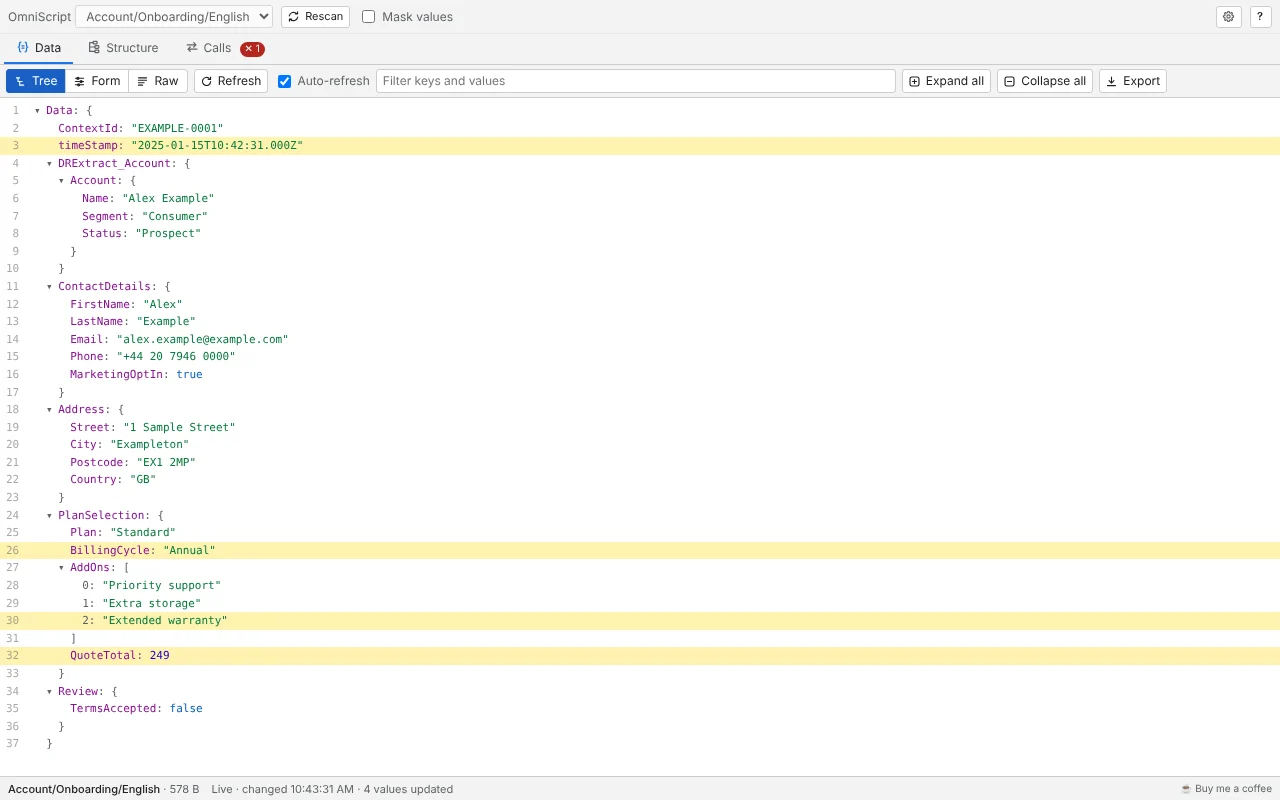
Data tab: the OmniScript's data as a tree, with the values that changed in the last read highlighted.
Explore the live data View the OmniScript’s data as a tree, a form or raw JSON as you move through the script. View all screenshots

OmniStudio Finder

Chrome extension · toolbar popup

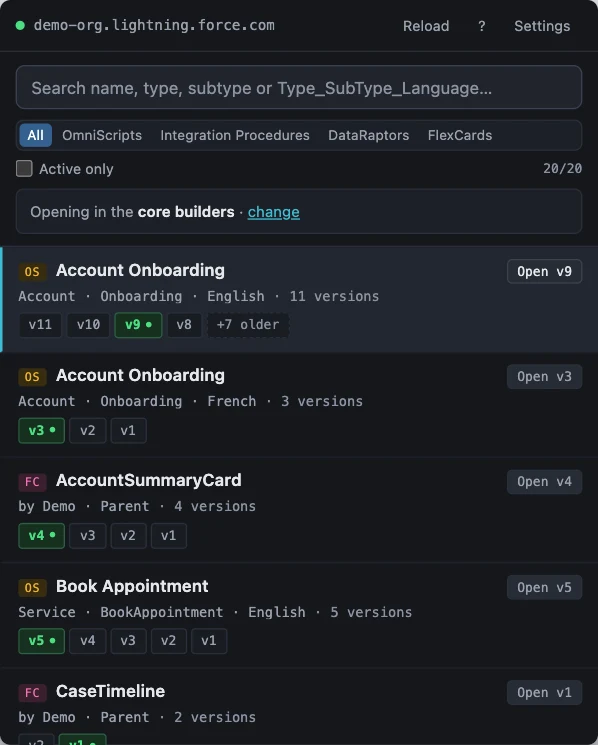
Find OmniStudio components in your org and open the version you need.

  • Search by name or paste a Type_SubType_Language key.
  • See the available versions and identify the active one.
  • Open a version in the core or managed-package designer.
OmniStudio Finder's popup listing OmniScripts and FlexCards, each with version chips, the active version marked in green.
Browse your OmniStudio assets Find OmniScripts, Integration Procedures, Data Mappers and FlexCards in one popup. View all screenshots

Support my work

If you find these extensions useful, you can buy me a coffee.

Buy me a coffee